

Cleanroom Controls And BMS Integration: Sensors, Trending, And Alarm Strategy
Cleanroom BMS controls help maintain pressure, temperature, humidity, airflow, and alarm visibility so the room stays stable during real operation, not only during testing. The right integration defines what the BMS controls, what it monitors, how alarms escalate, and how trends support investigations, maintenance, and requalification. If you are designing or upgrading a controlled room, our controlled environment engineering team can help align sensors, control sequences, and alarm strategy with the room’s intended use.
A BMS is not just a dashboard. In a cleanroom, it is part of the control strategy that helps facilities teams see drift, respond to alarms, and understand why a room behaves differently after maintenance, door activity, filter loading, or process changes. Sensor placement, sequence logic, and alarm rules matter as much as the software interface because weak inputs lead to weak decisions.
At A Glance
- A cleanroom BMS should support stable pressure, airflow, temperature, humidity, alarms, and operating modes.
- BMS, BAS, EMS, and validated monitoring systems may overlap, but they should have clear boundaries and ownership.
- Alarm strategy should separate early warning, action response, nuisance conditions, and quality-critical events.
- Trending should help explain drift before it becomes a deviation, downtime event, or recurring maintenance problem.
What Cleanroom BMS Controls Cover

Cleanroom BMS controls bring the room’s mechanical and environmental systems into a managed operating framework. In practical terms, the BMS helps facilities teams control and observe the systems that keep the room usable: HVAC units, fans, dampers, valves, pressure relationships, temperature, humidity, operating modes, and alarms.
The goal is not to connect every possible point. The goal is to connect the right points, define the right logic, and make the system useful for operations, engineering, QA, and maintenance. A cleanroom with poor BMS integration can still run, but it is harder to diagnose, harder to tune, and harder to defend after an excursion.
What A BMS Does In A Cleanroom
A building management system helps control and monitor the building systems that maintain cleanroom stability. That usually includes room differential pressure, temperature, humidity, supply and exhaust airflow, fan operation, damper position, valve status, filter differential pressure, and alarm states.
In a controlled environment, those signals are not background information. They tell the team whether the room is holding its intended state, whether the HVAC system is responding correctly, and whether an event is isolated or part of a larger trend.
A well-designed BMS also helps operations work with the room instead of around it. Operators can see whether the room is in normal, cleaning, maintenance, setback, or recovery mode. Facilities can see whether a problem is caused by a failed component, a control response, or a normal door event.
What A BMS Should Not Be Expected To Solve Alone
A BMS cannot fix a poor pressure cascade, a weak room envelope, undersized exhaust, unstable make-up air, or sensors installed in the wrong locations. Better graphics and more alarms may make instability more visible, but they will not correct a mechanical or architectural problem.
It also cannot automatically serve as a validated environmental monitoring system just because it displays cleanroom data. In regulated operations, the intended use of the data determines the level of control required. Data used for facilities troubleshooting may need a different record strategy than data used to support a GMP investigation, batch decision, or formal quality review.
Treat the BMS as one part of the control system. It needs capable HVAC design, practical room layout, qualified instrumentation, clear alarm ownership, and documented response workflows to deliver value.
Why Controls Strategy Should Start During Design
Controls strategy should be defined during design because sensor locations, control loops, room modes, and alarm logic all influence how the room will operate. When controls are treated as a late-stage integration task, the result is often a system that technically connects points but does not support stable operation.
Early controls planning also reduces field rework. A pressure sensor, door contact, airflow station, or filter differential pressure point added late may be placed where it is easy to install rather than where it gives the most useful signal. That can create years of confusing alarms and weak trend data.
The design stage is also the right time to define ownership. Facilities, QA, validation, IT, and operations should understand which points are for control, which points are for monitoring, which records are quality-relevant, and how changes will be managed after turnover.
BMS Vs EMS Vs BAS: What Belongs Where
BMS, BAS, and EMS are often used loosely, and that creates confusion during design and operation. The names matter less than the purpose of each system, the data each system owns, and the decisions each system supports.
A clear boundary keeps cleanroom teams out of trouble. It helps prevent situations where facilities believe a trend is maintenance-only while QA expects the same trend to support a formal deviation investigation.
BMS And BAS In Facility Control
BMS and BAS are often used interchangeably, although terminology varies by facility. In this article, BMS refers to the system used to control and monitor building systems such as HVAC equipment, fans, dampers, valves, room pressure control logic, and environmental setpoints.
In cleanrooms, the BMS is usually closest to facilities engineering and maintenance. It gives the team visibility into the mechanical systems that keep the space stable, including fan status, alarm history, control loop performance, and room mode changes.
A strong BMS setup supports rapid troubleshooting. When pressure drops, temperature drifts, or alarms repeat, the team can review equipment status and trends instead of relying on memory or manual checks.
EMS In Cleanroom Monitoring
An EMS, or environmental monitoring system, is usually associated with environmental data that requires stronger quality oversight, record control, or formal review. Depending on the facility, that may include particle monitoring, viable monitoring workflows, or other environmental data that supports regulated records.
The difference between BMS and EMS is not only software branding. The real difference is intended use. If data is used to support quality decisions, investigations, or release of a controlled area, then review, audit trail, retention, access, and change-control expectations need to match that purpose.
Some facilities integrate BMS and EMS data views, while others keep the systems separate. Either approach can work if ownership, record status, and response expectations are clear before go-live.
How To Define Boundaries Before Integration
Before integration, define which points are control points, which are monitoring points, and which are quality-critical records. This prevents confusion when alarms occur, when trends are reviewed, or when data is used during an investigation.
A practical boundary document should define system ownership, data ownership, alarm ownership, record retention, change-control rules, and who reviews what. It should also clarify whether the BMS is a source of formal records, a facilities tool, or both for selected data streams.
This is especially important in regulated cleanrooms. A pressure trend may be useful to maintenance in one context and quality-relevant in another. The integration plan should make that distinction before the data is needed under pressure.
Cleanroom Control Signals At A Glance
A cleanroom BMS should collect signals that support control, alarm response, investigation, maintenance, and lifecycle performance. The signals below show what each input contributes and what tends to go wrong when the point is poorly designed or located.
| Signal Or Sensor | What It Supports | Common BMS Use | Risk If Poorly Designed |
| Differential Pressure | Pressure cascade and containment or protection | Display, trend, alarm, control feedback | Nuisance alarms, unstable cascades, unclear investigations |
| Temperature | Process stability and operator comfort | Control, display, trend, alarm | Comfort workarounds, process drift, reheat waste |
| Relative Humidity | Material, process, and comfort control | Control, display, trend, alarm | Static, material effects, condensation risk, comfort complaints |
| Supply / Exhaust Airflow | Room balance and pressure stability | Control loop input, trend, alarm | Slow recovery, pressure swings, poor room-state control |
| Filter Differential Pressure | Filter loading and fan resistance | Trend, maintenance alarm | Unplanned airflow drift, high fan energy, late filter changes |
| Door Status | Airlock logic and disturbance tracking | Alarm suppression, event correlation | False alarms, unexplained excursions, poor root cause data |
| Fan / Damper / Valve Status | Equipment operation and control response | Control, trend, diagnostic alarms | Hidden equipment faults, poor troubleshooting |
| Particle Monitoring Interface | Cleanliness performance evidence | EMS or BMS interface, depending on intended use | Data ownership confusion, weak investigation records |
Sensors And Placement: What To Measure And Where
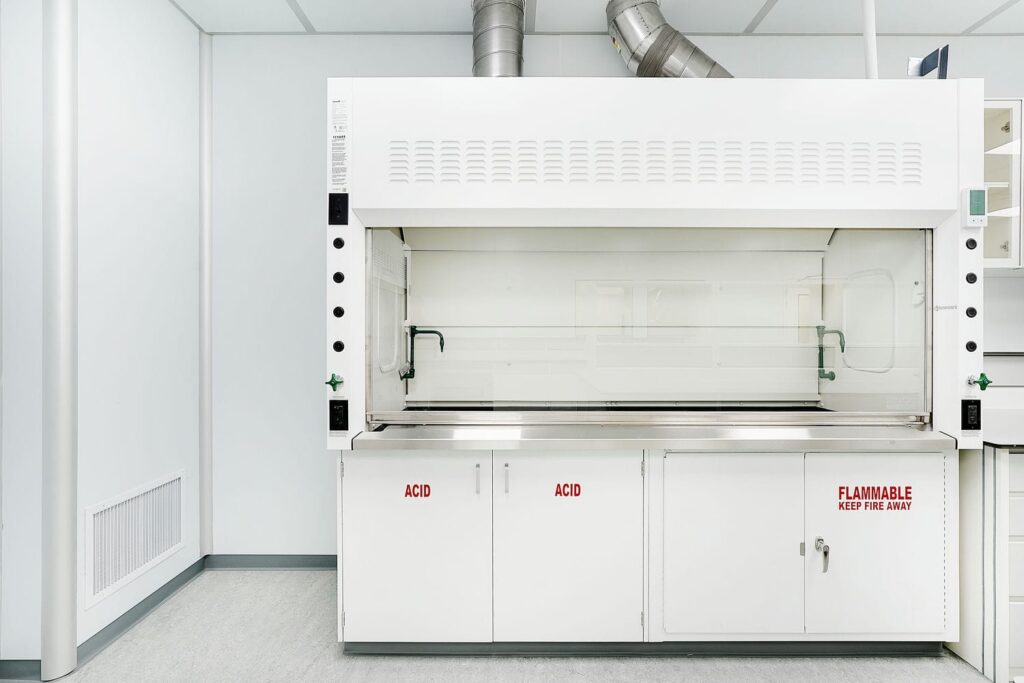
Cleanroom control depends on good measurement. A sensor that is inaccurate, poorly located, poorly referenced, or not maintained can create false alarms, weak control, and misleading trends. This is why instrumentation design should be reviewed with the room layout and HVAC strategy, not purchased as a generic package.
Placement should reflect how the room actually operates. Doors open, people move, equipment gives off heat, and pressure relationships shift during normal activity. Sensors should measure meaningful conditions, not convenient locations.
Differential Pressure Sensors
Differential pressure sensors are central to cleanroom performance because pressure relationships help protect cleaner spaces, contain hazardous areas, or separate room grades. Sensor range, accuracy, tubing layout, reference location, and stability all affect whether the reading is useful.
Poor differential pressure setup can make a stable room look unstable or make an unstable room look acceptable. Long tubing runs, bad reference points, blocked lines, and turbulent local conditions can all distort the signal. The result is often nuisance alarms, repeated adjustments, and weak confidence in the pressure cascade.
A better approach is to define the pressure relationship first, then place and configure sensors to measure that relationship reliably. The BMS should display and trend the relationship clearly so operators and facilities teams understand what changed when an alarm occurs.
Temperature And Humidity Sensors
Temperature and humidity sensors should represent the occupied or controlled zone without being distorted by supply air, return air, heat sources, door drafts, or equipment exhaust. A sensor near a diffuser or warm piece of equipment may control the room based on a condition that does not represent the process or the staff experience.
Sensor purpose matters. A temperature sensor used for HVAC control may not always be the same point used for quality review or process observation. If multiple points exist, the design should explain what each point represents and how differences will be interpreted.
Comfort should not be dismissed as a minor issue. When a cleanroom is too hot, too cold, or too dry, staff may use workarounds that affect door discipline, gowning behaviour, or process flow. Good temperature and humidity sensing supports both process stability and practical operation.
Airflow, Filter, And Equipment Status Inputs
Airflow and filter differential pressure points help connect room behaviour to system health. If pressure stability changes, these inputs can help show whether the cause is fan response, damper position, filter loading, exhaust imbalance, or a downstream restriction.
Equipment status points also reduce troubleshooting time. Fan status, damper position, valve command, VFD speed, and airflow station readings can show whether the BMS asked for a response and whether the mechanical system delivered it. That is the difference between diagnosing a controls issue and diagnosing an equipment issue.
Connecting BMS signals back to the air handling and HVAC fundamentals behind them makes it easier to interpret a fan response, damper movement, or pressure trend.
Door Status, Airlocks, And Event Correlation
Door status inputs are often underestimated. Many pressure alarms, particle events, and recovery concerns are linked to door activity, material movement, airlock timing, or personnel flow. Without door status trends, investigations can become guesswork.
Door contacts can support alarm delay logic, event correlation, interlock sequences, and room-mode awareness. For example, a short pressure dip during a normal door event may require a different response than the same pressure dip with no door activity.
The key is to use door data carefully. Alarm delays and interlock logic should distinguish normal short-duration events from sustained loss of control. The BMS should help teams see the difference quickly.
Control Logic That Keeps Cleanrooms Stable
Control logic is where the BMS becomes more than a display system. It defines how the room responds to changing loads, door events, equipment status, alarms, and operating modes. When sequences are clear and coordinated, the room is easier to operate and easier to troubleshoot.
When sequences are unclear, the BMS may create instability while trying to correct it. Multiple control loops can fight each other, alarms can trigger during normal transitions, and facilities teams may end up tuning symptoms rather than fixing causes.
Pressure Cascade Control
Pressure cascade control should match the room’s purpose. Positive pressure may protect cleaner spaces from adjacent areas. Negative pressure may support containment. Some facilities need both strategies in different parts of the same suite. The BMS sequence should reflect that intent and maintain stable relationships during real operation.
Pressure control should also account for doors, airlocks, exhaust, make-up air, and room modes. A cascade that looks stable when every door is closed may behave differently during shift changes, material transfer, or cleaning. That is why trend review and event correlation matter.
Health Canada’s sterile drug GMP guidance states that cleanrooms should be supplied with filtered air, that controls and monitoring should be scientifically justified, and that critical air pressure differences should be continuously monitored and recorded, with warning systems in place for failures or pressure reductions below set limits.
Fan, Damper, And VFD Coordination
Fans, dampers, and VFDs need coordinated control logic. If a fan increases speed while dampers throttle aggressively, or if supply and exhaust loops fight over the same room pressure condition, the cleanroom can become noisy, unstable, and inefficient.
A good sequence defines which loop is primary, which loops support it, and how the system responds during normal and abnormal states. It should also define limits so the BMS does not chase a pressure target in a way that creates comfort problems, energy waste, or poor recovery.
Control coordination is especially important in suites with multiple rooms, shared air handlers, or containment requirements. In these systems, one room’s correction can affect adjacent rooms unless the sequence is designed as a suite-level strategy.
Temperature, Humidity, And Reheat Sequences
Temperature and humidity sequences should hold stable conditions without unnecessary conflict between cooling, reheating, humidification, and dehumidification. Cleanrooms often need tighter control than conventional spaces, but tight control does not mean every loop should operate independently without coordination.
Poorly coordinated sequences can create high energy use and unstable comfort. For example, a system may cool supply air heavily to manage humidity, then use reheat to recover temperature. That may be necessary in some cases, but it should be intentional and tuned, not the result of default logic.
Control changes should be reviewed against comfort, process risk, room classification expectations, and energy use. They should also preserve the cleanroom airflow patterns that support contamination control, not simply adjust setpoints for short-term convenience.
Operating Modes And Setback Logic
Cleanroom operating modes may include occupied, unoccupied, cleaning, maintenance, setback, alarm, and recovery states. Each mode should define airflow, pressure, temperature, humidity, alarm behaviour, and readiness criteria. If those conditions are not defined, operators may not know when the room is ready for controlled work.
Setback logic can reduce operating cost where the room has predictable low-demand periods, but it needs a safe restore path. The BMS should clearly show when the room is in setback, when it is recovering, and when it has returned to the required operating state.
Mode changes should also be trended. If the room takes longer to recover over time, that may point to filter loading, controls drift, or a change in room use. These patterns are easier to catch when operating modes are clearly defined and visible in the BMS.
Trending Strategy: Turning BMS Data Into Decisions
Trending is what makes BMS data useful after the alarm clears. It shows how the room behaved before, during, and after an event. It also helps teams see slow drift that would otherwise remain invisible until a deviation, failed re-test, or maintenance issue occurs.
A strong trending strategy focuses on decision-quality data. The goal is not to trend every available point forever. The goal is to trend the points that explain room behaviour and help teams act before instability becomes routine.
What To Trend
Useful trends often include differential pressure, supply airflow, exhaust airflow, fan speed, damper position, filter differential pressure, temperature, humidity, door events, room modes, and alarm states. These points help explain cause and effect when the room changes.
The best trend set connects the room to the system behind it. A pressure alarm is easier to interpret when you can see door activity, fan response, damper movement, and airflow trends around the same time. A temperature excursion is easier to interpret when you can see valve position, supply air temperature, and room occupancy conditions.
Trend what you will review. If no one owns a trend, it may create data volume without operational value.
How Trending Supports Investigations
Good trends shorten investigations because they replace memory with evidence. Instead of asking whether a door was open or whether maintenance happened, the team can review event timing, room behaviour, and system response.
Trends also show whether a problem is isolated or developing. A one-time alarm during a door event may need a different response than a slow pressure decline over 3 weeks. A steady rise in filter differential pressure may explain a gradual increase in fan speed or slower room recovery.
Trending is also valuable after corrective action. If a controls change, sensor adjustment, or balancing correction is made, the trend should show whether the room stayed stable afterward.
Trend Review Cadence And Ownership
Trend review needs a defined cadence and owner. Facilities may review equipment performance, control stability, and maintenance trends. QA may review quality-critical alarms, excursions, or records that support regulated decisions. Operations may add context around workflow, cleaning, and room access.
The review cadence should match risk. Critical areas may need more frequent review than support rooms. Alarm-driven review may need immediate action, while slow drift may be handled during scheduled trend review.
If trend data is used to support qualification, certification, or cleanroom validation decisions, connect it to the broader evidence package rather than leaving it as a facilities-only record.
Alarm Strategy: Alert, Action, Delay, And Escalation
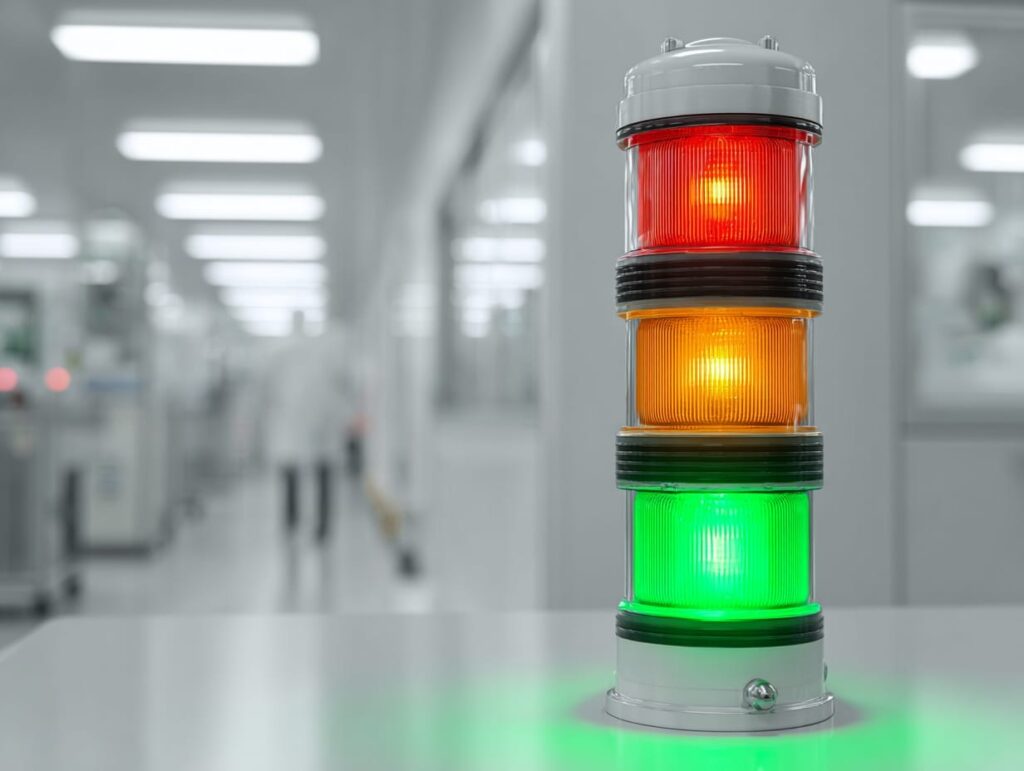
Alarm strategy determines whether the BMS builds trust or creates fatigue. Too many alarms train people to ignore the system. Too few alarms let drift continue until it becomes a deviation or downtime event. The right strategy distinguishes early warning, action response, and normal transient behaviour.
Alarm logic should be risk-based and practical. A high-risk containment area needs different alarm rules than a low-risk support space. A pressure dip during a normal door opening should be treated differently than sustained loss of pressure with no obvious cause.
Alert Limits Vs Action Limits
Alert limits warn that a trend is moving in the wrong direction. They should prompt attention, review, or increased awareness before performance is lost. Action limits should trigger a defined response, investigation, or escalation because the room may no longer be operating as intended.
This separation is important. If every small movement is treated as an action alarm, staff become overloaded and the system loses credibility. If action limits are too wide, the room can drift before anyone responds.
The best alarm limits are tied to intended use, risk, historical room behaviour, and the response the facility can realistically deliver.
Alarm Delay Logic And Nuisance Alarm Control
Cleanrooms experience brief disturbances from door openings, airlock use, material transfer, and normal room transitions. Alarm delay logic can prevent nuisance alarms during these short events while still catching sustained loss of control.
Delay logic should be justified and tested. If delay periods are too long, they can hide real problems. If they are too short, they can flood the team with alarms that do not require action. Door status and trend data can help tune delays so the system reflects real room behaviour.
Nuisance alarm control is not about silencing alarms. It is about making sure alarms mean something when they occur.
Escalation And Notification Paths
Define who receives alarms, when they receive them, and what they must do. A critical pressure alarm may need immediate facilities response. A warning trend may need scheduled review. A repeated alarm during a known workflow may need engineering review rather than constant operator acknowledgement.
Escalation should cover working hours, after-hours coverage, maintenance modes, and planned shutdowns. The BMS should not rely on informal handoffs or one person’s knowledge.
Alarm response should also be documented in procedures. Staff need to know which alarms require immediate action, which require documentation, and which require QA notification or deviation assessment.
Alarm Documentation And Review
Alarm review should look for repeat patterns, nuisance conditions, and unresolved root causes. If the same alarm occurs every shift during material transfer, the answer may be airlock timing, workflow adjustment, pressure tuning, or delay logic. Repeated acknowledgement without correction is a weak control.
For regulated operations, define which alarms and electronic records are quality-relevant. FDA data integrity guidance defines data integrity as complete, consistent, and accurate data, and frames computer-system controls, record changes, access, review, and validation according to risk and intended use.
This does not mean every BMS point needs the same level of record control. It means the facility should define which records matter for quality decisions and control those records accordingly.
Commissioning And Qualification Considerations For BMS Integration
BMS integration should be commissioned like the control system it is. Point connections, graphics, alarms, trends, sequences, modes, and failure responses should be checked before the room is handed over. If these items are not tested, the room may appear complete but remain hard to operate.
Qualification expectations depend on industry, intended use, and the role of the BMS data. Still, even non-GMP projects benefit from structured commissioning evidence because it gives facilities and owners confidence that the system works as designed.
What To Confirm Before The Controls Go Live
Before the controls go live, confirm point-to-point checks, sensor calibration status, naming conventions, graphics accuracy, alarm routing, trend setup, user access, and sequence of operation. The team should also confirm that operators and facilities staff understand room modes and alarm response expectations.
Small errors can create large operating problems. A pressure point may be wired correctly but labelled incorrectly. An alarm may display locally but not notify the right team. A trend may be configured but not retained long enough to support investigation.
A practical go-live checklist should cover:
- Point-to-point verification
- Sensor calibration and range confirmation
- Graphic labels and room names
- Alarm routing and priority
- Trend retention and export requirements
- Room mode logic
- Operator and facilities training
- Ownership for response and change control
Testing Sequences, Alarms, And Failure Modes
Commissioning should test normal operation and credible failure modes. That may include loss of supply fan, loss of exhaust, pressure loss, stuck damper, sensor fault, room recovery after door events, and changes between operating modes. The goal is to verify that the system responds as designed.
Failure mode testing is important because real cleanrooms do not only operate in ideal conditions. Equipment fails, doors are opened, maintenance occurs, and alarms happen after hours. The sequence should make those states manageable, not confusing.
If the sequence of operation is vague, testing becomes interpretation. Write the sequence clearly enough that commissioning can confirm whether it passed or failed.
Documentation For Turnover And Change Control
Turnover documentation should include the sequence of operation, points list, alarm matrix, trend list, graphics standards, sensor calibration evidence, network or architecture diagrams where needed, and owner responsibilities. These documents make future troubleshooting and change control easier.
The alarm matrix should define priority, delay, notification path, response expectation, and record status where applicable. The trend list should define which points are stored, for how long, and who reviews them.
Aligning BMS integration with broader cleanroom certifications and regulations makes it easier to frame test evidence and compliance expectations consistently across qualification documents.
Data Integrity And System Ownership In Regulated Cleanrooms
In regulated cleanrooms, BMS data can shift from facilities information to quality evidence depending on how it is used. That shift changes expectations for access, retention, review, audit trails, and validation. The system design should reflect this before the first investigation requires the data.
The key is intended use. A pressure trend used only for maintenance diagnostics may be managed differently from a pressure trend used to justify release of a controlled area or close a deviation.
When BMS Data Becomes Quality-Relevant
BMS data becomes quality-relevant when it is used to make or support decisions about product quality, environmental control, deviation investigation, batch disposition, or readiness of a controlled room. The same data point can be low-risk in one facility and critical in another.
For example, a temperature trend may be a comfort indicator in one cleanroom and a process-critical record in another. A pressure trend may be a maintenance signal in one suite and a containment record in a hazardous or sterile operation.
Define this status early. If QA will rely on BMS data, then the system’s controls need to support that use.
Audit Trails, Access Control, And Record Retention
For quality-relevant electronic records, access control, audit trails, backup, and retention should match risk and intended use. Users should not be able to change critical limits, delete records, or alter trend history without appropriate controls and traceability.
Record retention should also match the facility’s review needs. If BMS trends support deviation investigations or periodic reviews, they must be retained long enough and in a usable format. A trend that disappears after a short window may not support the investigation it was meant to explain.
Not every BMS point needs the same record strategy. A risk-based approach helps focus stronger controls on records that affect quality decisions, while keeping maintenance-only points practical to manage.
Clear Ownership Between Facilities, QA, Validation, And IT
Facilities typically owns mechanical performance, BMS operation, maintenance response, and control tuning. QA may own quality limits, deviation rules, record review, and change-control governance. Validation may own system qualification or computer-system validation expectations. IT may own cybersecurity, network availability, backups, and access management.
These roles should be defined before go-live. Without clear ownership, alarms can be acknowledged without investigation, trends can go unreviewed, and system changes can happen without the right impact assessment.
A clean ownership model keeps the BMS usable. It also helps teams respond faster because everyone knows who reviews the data, who fixes the system, and who approves changes.
Common BMS Integration Mistakes In Cleanrooms
Most BMS problems are not caused by the software platform. They come from unclear scope, weak sensor placement, vague sequences, poor alarm logic, and missing ownership. These problems are preventable when the integration is treated as an engineering control system, not a graphics package.
The best systems are not the ones with the most points. They are the systems that help people make better decisions faster.
Adding Sensors Without Defining Decisions
More sensors do not automatically mean better control. If a sensor does not support control, alarm response, investigation, maintenance, or quality review, it may add noise instead of value.
Before adding a point, define the decision it supports. Will it control equipment? Trigger an alarm? Explain an excursion? Support maintenance? If the answer is unclear, the point may not belong in the first integration scope.
A focused points list is easier to commission, easier to maintain, and easier to use during investigations.
Setting Alarm Limits Without Looking At Real Room Behaviour
Alarm limits that ignore real room behaviour often create nuisance alarms. Door events, airlock use, cleaning activity, pressure recovery, and normal operating modes can all create short-term changes that should not trigger the same response as sustained loss of control.
Use commissioning data and early operating trends to tune alarms. Limits should reflect risk and performance, not convenience. Delay logic should reflect documented behaviour, not guesswork.
Alarm limits also need periodic review. If the room changes, the alarm strategy may need to change with it.
Poor Sensor Placement Or Referencing
Poor sensor placement creates poor data. Pressure tubing can be referenced incorrectly, temperature sensors can sit in supply drafts, and humidity sensors can be placed where they do not represent the process or the occupied zone. These errors can cause years of avoidable alarms and investigations.
Sensor placement should be reviewed during design, verified during commissioning, and documented for future maintenance. When sensors are replaced or relocated, the change should be assessed for impact on control and trend interpretation.
The BMS is only as reliable as the signals it receives. Good sensors in the right locations are a cleanroom performance requirement, not a minor detail.
No Post-Change Trending Review
After controls changes, many teams confirm the point change and stop. That misses the larger question: did the room stay stable after the change? A sequence update, alarm adjustment, sensor replacement, or setpoint change can affect room behaviour over time.
Post-change trend review should be built into the change process. Review the room under normal operation after the change and confirm that alarms, pressure, temperature, humidity, and room modes behave as expected.
This is especially important after energy changes, maintenance, equipment upgrades, or workflow changes. Trend review catches drift early and reduces the chance that a small adjustment becomes a larger investigation.
Build A Cleanroom Controls Strategy That Supports Stable Operation
A cleanroom controls strategy should make the room easier to operate, easier to investigate, and easier to maintain. When sensors, sequences, trends, and alarms are planned together, the BMS becomes a practical control tool that supports stable pressure, fewer nuisance alarms, faster root cause analysis, and better lifecycle decisions.
ACH Engineering supports cleanroom controls and BMS integration as part of controlled environment delivery, including integrated in-house engineering across architectural, mechanical, HVAC, and electrical disciplines, turnkey cleanroom design and installation support, and experience delivering ISO- and GMP-aligned controlled environments. If you want a cleanroom controls strategy that supports stable operation from commissioning through lifecycle changes, talk to our controlled environments team about scoping the work.
Frequently Asked Questions
A cleanroom BMS is a building management system used to control and monitor building systems that maintain room stability, such as HVAC equipment, pressure relationships, temperature, humidity, alarms, and operating modes.
A BMS usually controls and monitors building systems, while an EMS is often used for quality-controlled environmental monitoring records. The difference depends on intended use, data ownership, record requirements, and review expectations.
Common critical sensors include differential pressure, temperature, humidity, airflow, filter differential pressure, door status, fan status, damper position, valve position, and selected environmental monitoring inputs where relevant.
Alarm limits should be based on intended use, risk, historical room behaviour, and response expectations. Alert limits can warn of drift, while action limits should trigger defined response, investigation, or escalation.
Nuisance pressure alarms often come from door events, unstable pressure cascades, poor sensor placement, aggressive alarm settings, weak delay logic, or control loops that are not tuned to real operation.
BMS trends can be useful in GMP investigations, but if they are used as quality-relevant evidence, the system’s intended use, data integrity controls, access control, retention, review process, and change-control expectations should be defined.
Confirm point-to-point checks, sensor calibration status, sensor placement, graphics accuracy, alarm routing, trend retention, sequence testing, mode logic, user access, and ownership for alarm response and change control.
GET IN TOUCH
Complete the form below to get in touch with our team.